Authoritative zones
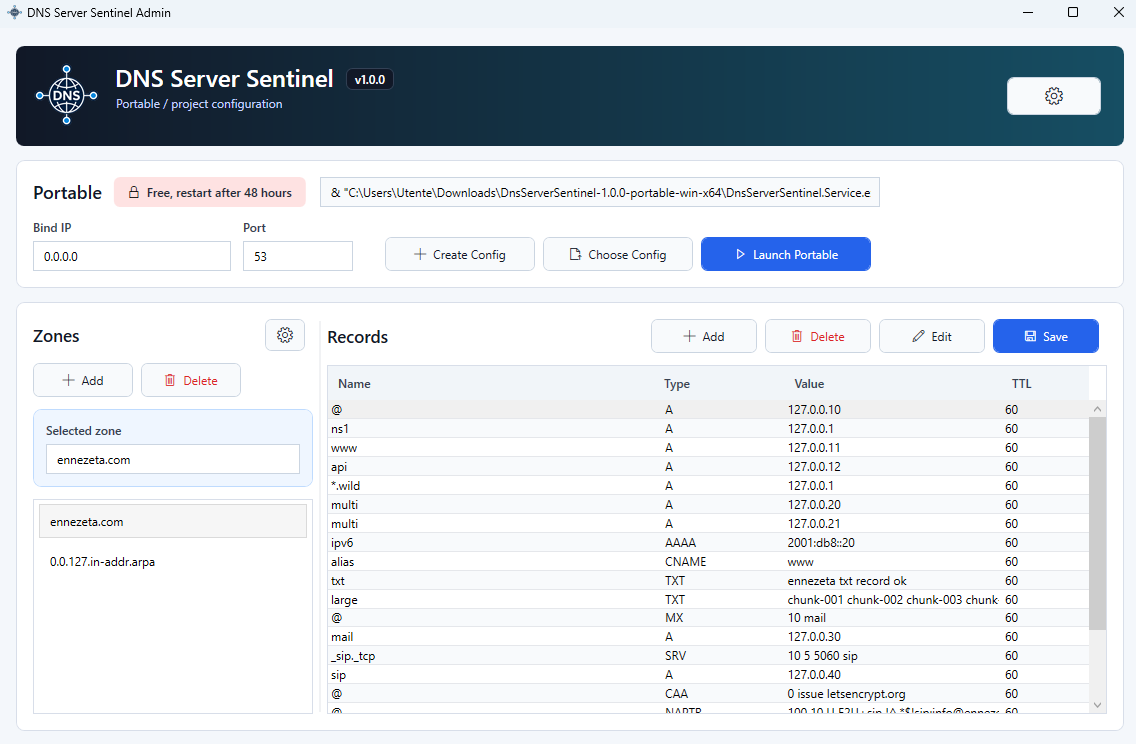
Create zones, records, SOA and NS metadata, wildcard entries, and reverse DNS zones from the Admin UI.
Windows DNS server for local networks and developer projects
Download a DNS server for Windows with a desktop Admin UI, authoritative local zones, optional forwarding, cache, protections, and a portable mode for project-specific environments.
What it does
Create zones, records, SOA and NS metadata, wildcard entries, and reverse DNS zones from the Admin UI.
Forward unknown names to upstream DNS servers and cache positive and negative responses to reduce latency.
Run as a Windows Service for machines, or launch portable mode with a project-local configuration file.
UDP, TCP, EDNS0, truncation handling, CNAME chaining, additional and authority sections, and common DNS record types.
Rate limiting, query size limits, TCP client limits, recursion allowlist, and ignored domains that silently drop queries.
Manage records, forwarding, protections, logs, stats, portable launch commands, service install/start/stop, and config files.
Recommended guides
Distribution
DNS Server Sentinel is distributed as Windows x64 ZIP packages. Choose Service when you want a Windows DNS server running in the background, or Portable when you want a project-local DNS server without installation.
Download this edition to run DNS Server Sentinel as a Windows DNS Service with an Admin UI for install, uninstall, start, and stop actions.
Download ServiceDownloads: -
Download this edition to run a portable DNS server for Windows with create config, choose config, launch portable, and portable command usage.
Download PortableDownloads: -
Operating modes
Download the Service edition when the DNS server should run in the background and start with Windows.
Download the Portable edition to launch a DNS server directly with a selected JSON config file, without installing a Windows Service.
The documentation area includes installation, records, zones, forwarding, protections, portable mode, and troubleshooting.
Contact
Send a message for licensing, support, integration questions, or general product information.